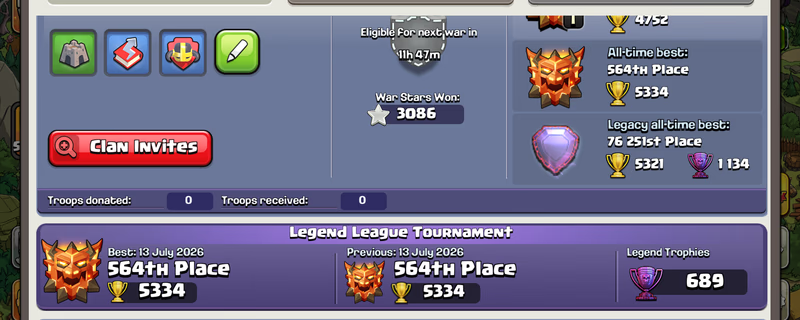
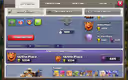
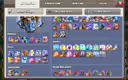
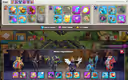
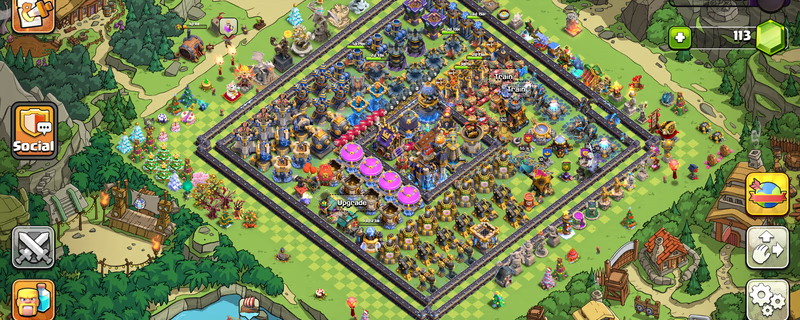
Global Rank 564 | TH18 Max | 16 Epic Equipment | Rare Statues | Dream Account | Ready for TH19
Product image 1
Product image 2
1 / 5
총 결제 금액
₩487,796
배송
Instant
이메일 액세스
완전한 제어 권한
적립 ≈ ₩19,512 캐시백
빠른 결제 옵션
에스크로 결제 보호
결제 대금은 igitems에서 안전하게 보관하며, 구매자가 수령을 확인한 후에만 판매자에게 지급됩니다.
100% 환불 보장
주문 상품이 배송되지 않거나 설명과 다를 경우 전액 환불해 드립니다.
24/7 분쟁 해결 지원
판매자와의 문제를 해결할 수 없는 경우, 저희 팀이 개입하여 공정하게 중재합니다.
PCI DSS 인증 결제
카드 결제는 은행 수준의 암호화 게이트웨이를 통해 처리됩니다.
igitems Shield에 대해 더 알아보기
플랫폼
Supercell
TownHall
18
Hero Journey
473
King
105
Queen
105
Prince
95
Warden
80
Machine
30
Copter
30
Gems
113
Rare Obstacles
Obstacle Trees and Rocks
Account Protection
Active

IMPORTANT – READ FIRST - - ️After purchasing and successfully logging into the account, it is your responsibility to secure both the email account and the Supercell account. - ️I will not be responsible for security issues caused by failing to secure the account within the required period. - ️Supercell normally requires approximately 15 days before you can change the Supercell ID email or add a phone number to Account Protection. - ️Supercell login codes may occasionally be delayed or rejected. When this happens, try requesting the code through another Supercell game such as Clash of Clans, Brawl Stars or Hay Day using the same Supercell ID. EMAIL LOGIN DETAILS Email Address: Email Password: For @ -Open the Gmail app or visit -When Google requests verification, contact me through marketplace chat. For @ -Open the Outlook app or visit GAME LOGIN 1. Open Clash of Clans or Brawl Stars or Hay Day. 2. Select “Log in with Supercell ID.” 3. Enter the provided email address. 4. Open Gmail or Outlook and copy the Supercell verification code. 5. Enter the code in the game to complete login. - ️IMPORTANT SECURITY RULES • Do not immediately change the Gmail password. • Wait at least 24 hours before attempting to change the email password. • In some cases, Gmail or Outlook may apply a security waiting period. • Wait seven days before making in-game purchases. • Do not contact Supercell Support. • Do not share the login details or verification codes with anyone. - After confirming that the game account works correctly: 1. Review the security activity in Gmail or Outlook. 2. Remove unknown recovery methods or sessions only after confirming that you can access the account safely. 3. Add your recovery email or phone number when the email provider permits it. 4. Save the updated credentials somewhere secure. Contact me through marketplace chat if you experience any login or verification issue. Responses may be delayed while I am sleeping.

판매자:

추천 상품