How to Sell a Steam Account Safely
Hear me out, your Steam library might be the most valuable digital thing you have. You might have overlooked the asset from the games you played. And because Steam's player base is larger than ever (hitting a concurrent record of over 42 million players in 2026), the second-hand market is thriving.
What Actually Drives Steam Account Value
Buyers care about what it costs to rebuild your account today, minus the risk of buying from a stranger. Every account valuation comes down to those two numbers.
Game Library Size, Rare Games, and Region-Locked Titles
The total number of games inside a Library doesn't really matter that much, because sure, you might have a bundle of unrecognized and unpopular games, but it surely won't sell compared to a small library that has major titles like Elden Ring, Baldur's Gate 3, or RDR2. Buyers want popular titles they can play instantly.
Rare, delisted content is the major exception because games stay in your Library forever after leaving the public store. Accounts with Transformers: Devastation are highly desirable since Valve removed it in December 2017 when Hasbro's licensing deal with Activision ended. Just like the 2013 Deadpool game, which also faces the same issue, having been delisted twice and having no way of buying the game, buyers tend to find accounts that have them.
In-Game Items, Skins, and Your CS2 Inventory
The value doesn't really come from the games themselves; most of the time, it comes from what the account's inventory holds. A CS2 inventory that has rare, beloved, iconic knives and gloves can make a library more expensive.
Two mechanics directly impact what an inventory is worth. The Steam Marketplace takes a 15% fee on CS2 sales (5% for Steam and 10% for the game), and marketplace purchases trigger a seven-day trade cooldown. Buyers follow both rules, which is why accounts built around inventories list slightly below the raw item total rather than above it.
To get an accurate view of your account's value, check CS2 account listings instead of relying on a skin calculator; that won't cut it. Marketplace prices your rank, Prime status, Steam level, ban history, and items all together.
You might also like
Account Age, Level, and the Trust Signals Buyers Scan First
Reaching higher tiers becomes more expensive, and it's all because the XP requirements start to rise the higher you go. Crafting badges is limited to only five regular badges and one foil badge per game, so yes, having a level 80 profile requires years of collecting cards and money spent buying titles. This isn't something you can speedrun in one night. You'll also want to include your registration date, playtime spread across years, active friends list, and VAC record, which also affect your account's value and demand.
Verifying Your Own Account
Before listing items, sellers should archive their Steam purchase history, which documents every transaction's date, item name, price, payment method, and transaction ID.
Assemble what buyers and platforms will actually ask for:
● Library and playtime screenshots: Show your total game count, played hours, and profile URL or SteamID.
● Inventory screenshots: Make sure all item names are fully legible. And include float values or wear levels on any skins that justify a higher premium price.
● Ban status: Verify profile directly across VAC, trade, game, and community bans.
● Email access proof: An account sold without the original linked email is worth significantly less, and marketplaces will reject it as a full transfer.
● Steam Guard status: Show your current security setup. Include whether your mobile authenticator is active and exactly how long it's been on.
Where to Sell a Steam Account Safely
You have two options.
The first option you have is peer-to-peer deals through Discord servers and Reddit trade threads, but one thing to be wary of is that they pose the greatest risks, because someone must send their side of the trade first. That's why buyers can receive account login details before paying, then ghost you and take over the account.
To solve this problem, consider escrow-backed marketplaces like igitems. Dedicated Steam account platforms should hold the buyer's money securely rather than sending it straight to you, and the seller receives the money only after a successful delivery is confirmed.
The platform fee isn't just for a basic escrow system. It creates and secures an official paper trail that includes your listing details, timestamps, delivery logs, and the verified identities of both buyer and seller.
Preparing Your Account for a Fast, Clean Sale
Create a brand new email inbox for the account. The buyer receives full access to the linked email address. Make sure it isn't connected to any personal services or banking details. Set up a new, empty inbox and update your Steam account to use it.
Strip the payment methods. Remove saved credit cards and PayPal billing agreements. If any Steam wallet balance remains, spend it or list the exact balance as an included feature, and add that value directly to your asking price.
Leave your Steam Family first. If your account belongs to a family group, remove it early in the process. Steam's family sharing rules enforce a strict one-year cooldown period. This starts from the exact date you joined.
Unlink every third-party launcher. You must disconnect any other accounts (Ubisoft Connect, Rockstar Social Club, etc.) alongside your Discord and Twitch connections. Many Steam games route DLC ownership, multiplayer profiles, and cloud saves directly through an external publisher profile.
Deauthorize other devices. In your account settings, check and remove any other devices accessing the account. Steam's Steam Guard system provides an additional security layer for these devices.
Write an accurate listing. Don't list what isn't there or exaggerate details that could cause conflict or a refund later; stick to the basics: the game count in your Library, the famous games you have, your Steam level, and the year the account was created. Also include any ban history, store regions, and inventory from specific games.
The Safe Handover Process, Step by Step
Post your final listing. Use your verified account details, post the screenshots you gathered, and price it similarly to other active listings.
Wait for the buyer to pay into escrow. Never transfer any account data, send a preview login, or alter settings until you see a confirmed order on the marketplace. Scammers try hard to change the order of these steps to trick you into giving up access early.
Do your final prep in one sitting. Confirm the account email is the fresh handover inbox, reset the Steam password, remove payment methods, and deauthorize all other devices.
Deliver the login credentials through the platform's delivery system. Send the Steam username, password, the handover email address, and any backup recovery codes. Don't use Discord direct messages or a chat interface that deletes history within 24 hours. Manual delivery must run entirely through the marketplace's official messaging system so that a record exists. Automatic delivery is meant for instantly issued items like product keys and doesn't apply to a full account transfer.
Let the buyer verify and take ownership. They'll log in, check the game library, inspect the inventory, and verify the ban status against your listing details. Once confirmed, they'll change the password and update the linked address to their own. During this time, remain reachable; most transaction disputes are not actual fraud; they are simply caused by a buyer hitting an unexpected login prompt at 2:00 AM.
The transaction finishes when the buyer confirms the delivery, or when the grace period expires and the order auto-confirms. This window lets both parties confirm the account changes hands properly.
Payout releases once the transaction is confirmed and any hold clears.
One timing detail to plan for: if the mobile authenticator hasn't been active for a week, Steam applies a 15-day hold on trades and market listings. Anything that needs to leave the inventory should move well before the sale.
Common Scams to Watch For on Both Sides
The reclaim, also known as the original-owner exploit
This particular scam dominates the marketplace. It succeeds because of Steam's account recovery system. During recovery, Valve ignores who currently controls the linked email. The support team requires proof of ownership, which you can easily satisfy by proving the first payment method used on the profile, CD keys activated on the account, or old email addresses previously tied to it.
The seller holds all this original evidence, while the buyer has none, regardless of how legitimately they paid for the account. Consequently, a dishonest seller can wait three weeks, submit an account recovery ticket, and regain full control. Valve is executing its security policies correctly here. Their recovery system is built entirely to protect the person it recognizes as the true owner. An unauthorized sale doesn't exist in their records.
Steam has no technical fix. Instead, your defenses must be structural. Use platforms where sellers must verify their identities, and where payouts can be frozen or clawed back after sale.
Chargebacks and non-payment, the seller's mirror image
Sellers face significant risks when trading digital goods (delayed chargebacks, fake payment screenshots, and account theft via unauthorized password resets), and these scams are prevented by holding money in escrow before transferring any credentials.
Fake escrow, phishing pages, and data security
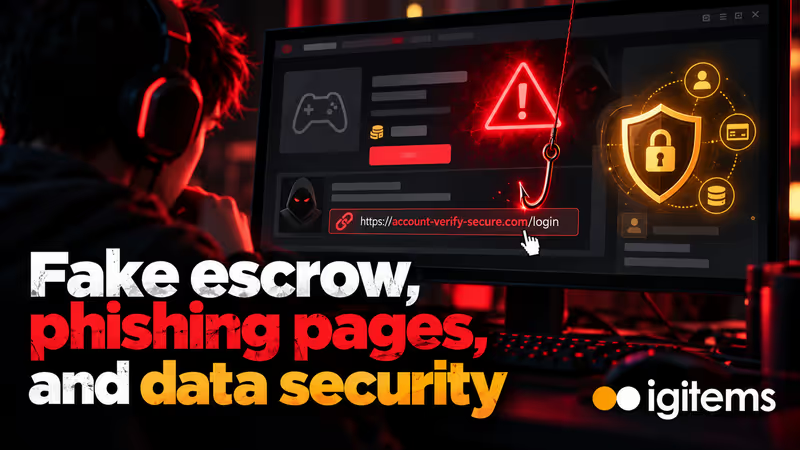
Cloned marketplace logins and fake Steam sign-in windows spread constantly, often appearing as a "verification link" from a buyer who sounds completely reasonable. You should input your Steam credentials on steampowered.com and steamcommunity.com and absolutely nowhere else.
Treat your login credentials as sensitive data, not just a product. Never reuse a password from a different account. Never give away an email inbox that's connected to any other part of your life. Read the privacy policy of any platform where you upload account details so you understand exactly how it saves those credentials.
FAQ
Is it actually legal to sell a Steam account? Selling an account breaks the Steam Subscriber Agreement. This functions as a contract with Valve, not a criminal law. No one gets arrested for this. The real consequence is a permanent account restriction, with no refunds for library items.
What is the safest way to sell a Steam account without getting scammed? Use a marketplace that features a built-in escrow system and a clear dispute process. Deliver your account details only after the platform explicitly confirms and holds the buyer's payment; always hand over login credentials through the marketplace's interface instead of private chat windows. Never move a transaction off-platform to avoid paying fees.
How much is my Steam account worth? Calculate your account's price by starting with the resale value of the five or six titles a buyer genuinely wants. Next, add the inventory value at a small discount. Adjust the total for your Steam level, account age, store region, and ban history. Most basic accounts are valued under $50. Profiles with large libraries or valuable CS2 inventories sell for $150 or more.
Can the original owner take back a Steam account after selling it? Yes. And that's the main risk here. Steam Support only recovers accounts to whoever can prove that they're the original owner.