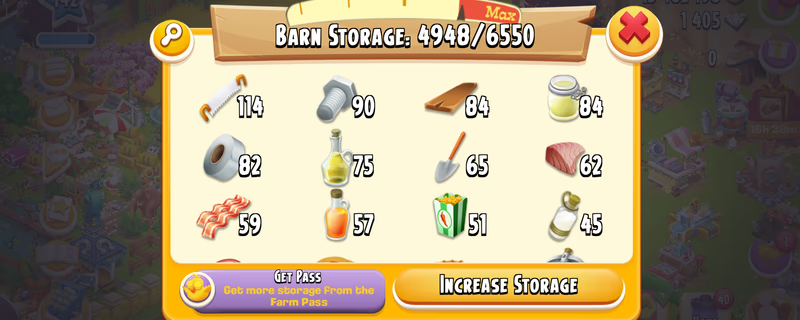
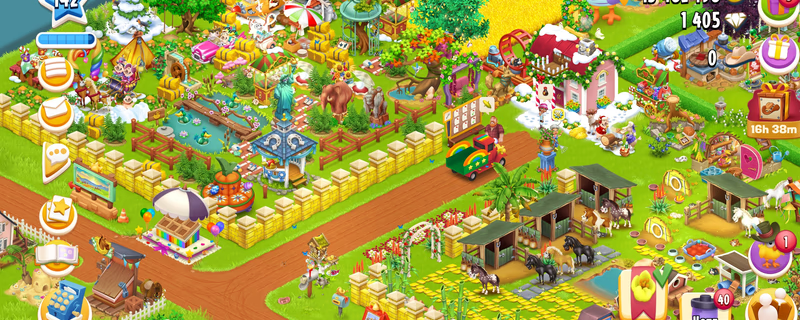
Farm Level 142 | Barn 6.5K | Silo 3.2K | 15 Million Coins | 1400 Diamond | Instant Delivery
Product image 1
Product image 2
1 / 4
7 viewing
Totalpris
1 219,90 kr
Levering
Instant
E-posttilgang
Full kontroll
Tjen ≈ 48,8 kr cashback
Raske betalingsalternativer
Betaling holdes i escrow
Betalingen din blir hos igitems og utbetales først når du har bekreftet levering.
100 % pengene-tilbake-garanti
Hvis bestillingen din ikke blir levert eller ikke samsvarer med beskrivelsen, får du full refusjon.
24/7 tvisteløsning
Hvis du ikke blir enig med selgeren, griper teamet vårt inn og tar en rettferdig avgjørelse.
PCI DSS-sertifiserte betalinger
Kortbetalinger behandles gjennom krypterte betalingsløsninger med bankstandard.
Les mer om igitems Shield
Plattform
Google
Level
142
Barn
6550
Silo
3200
Coin
0K
Diamond
0
Beskrivelse
Hay Day Account Account Details: - Farm Level: 142 - Town Level: 15 - Barn Storage: 6,550 - Silo Storage: 3,200 - Coins: 154,621 Instant delivery available. Please review all visible details before purchase. Delivery Instructions: - IMPORTANT – READ FIRST - - ️After purchasing and successfully logging into the account, it is your responsibility to secure both the email account and the Supercell account. - ️I will not be responsible for security issues caused by failing to secure the account within the required period. - ️Supercell normally requires approximately 15 days before you can change the Supercell ID email or add a phone number to Account Protection. - ️Supercell login codes may occasionally be delayed or rejected. When this happens, try requesting the code through another Supercell game such as Clash of Clans, Brawl Stars or Hay Day using the same Supercell ID. EMAIL LOGIN DETAILS Email Address: Email Password: For @ -Open the Gmail app or visit -When Google requests verification, contact me through marketplace chat. For @ -Open the Outlook app or visit GAME LOGIN 1. Open Clash of Clans or Brawl Stars or Hay Day. 2. Select “Log in with Supercell ID.” 3. Enter the provided email address. 4. Open Gmail or Outlook and copy the Supercell verification code. 5. Enter the code in the game to complete login. - ️IMPORTANT SECURITY RULES • Do not immediately change the Gmail password. • Wait at least 24 hours before attempting to change the email password. • In some cases, Gmail or Outlook may apply a security waiting period. • Wait seven days before making in-game purchases. • Do not contact Supercell Support. • Do not share the login details or verification codes with anyone. - After confirming that the game account works correctly: 1. Review the security activity in Gmail or Outlook. 2. Remove unknown recovery methods or sessions only after confirming that you can access the account safely. 3. Add your recovery email or phone number when the email provider permits it. 4. Save the updated credentials somewhere secure. Contact me through marketplace chat if you experience any login or verification issue. Responses may be delayed while I am sleeping.
Selges av

Du vil kanskje også like