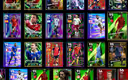
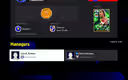
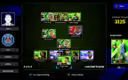
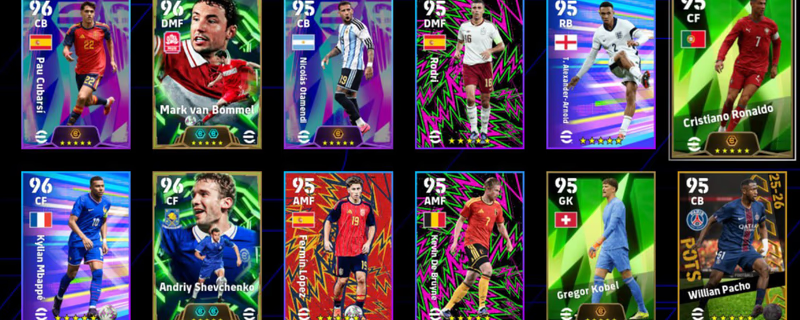
Steam Account[PC]|11x Booster|15x Five Star Card|Johan Cruyff-106! Van Basten! Mbappe! Gerrard!C.Puyol C.Romero! Messi!
Product image 1
Product image 2
1 / 3
Pagament miżmum f'escrowIl-pagament tiegħek jibqa' għand igitems u jinħeles biss wara li tikkonferma l-kunsinna.
Garanzija ta' 100% ta' flusek luraJekk l-ordni tiegħek ma tiġix ikkunsinnata jew ma taqbilx mad-deskrizzjoni, tieħu rifużjoni sħiħa.
Riżoluzzjoni ta' tilwim 24/7Jekk ma tistax issolvi kwistjoni mal-bejjiegħ, it-tim tagħna jintervjeni u jiddeċiedi b'mod ġust.
Pagamenti ċertifikati PCI DSSIl-pagamenti bil-kard jiġu pproċessati permezz ta' gateways kriptati ta' livell bankarju.
Tgħallem Aktar
Pjattaforma
Steam
Strength
3130
Players
50
Division
Division 3
Deskrizzjoni

buying an account:

1- Create a brand-new Gmail account.

2- Send that Gmail address to the seller and ask them to add it to both Steam and Konami.

3- The seller will add your Gmail to both accounts. During this process, they will ask you for the verification codes sent to your Gmail. Just send the codes until they confirm everything has been added successfully.

4- After that, they will send you the Steam username and password. Log in to Steam immediately and change the password.

5-They will also send you the Konami password. Since your Gmail is already linked to the Konami account, log in using your Gmail and the password they gave you, then change the Konami password as well.

Once you change both passwords, the account is fully secured on your side.

Għandek mnejn tħobb ukoll