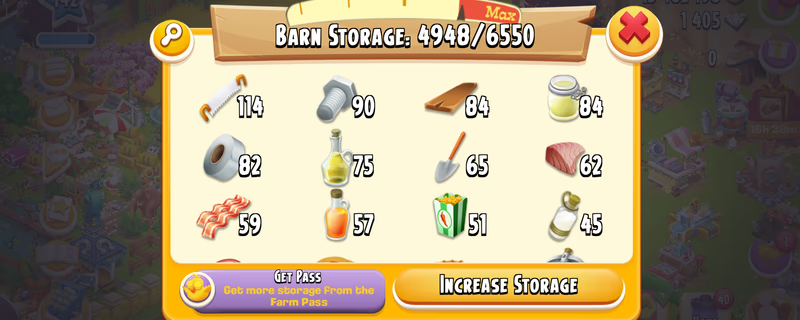
Farm Level 142 | Barn 6.5K | Silo 3.2K | 15 Million Coins | 1400 Diamond | Instant Delivery
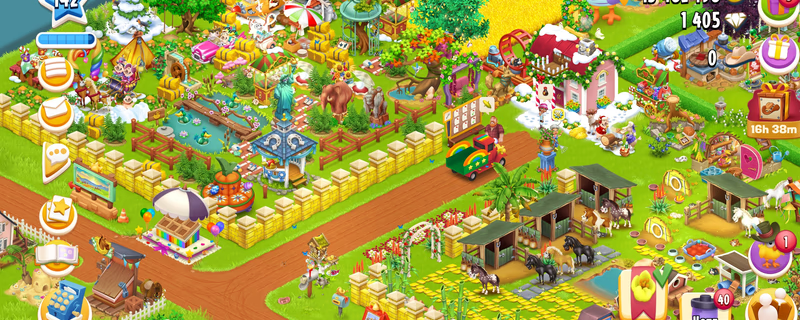
Product image 1
Product image 2
1 / 4
7 viewing
Tổng giá
3.385.179 ₫
Giao hàng
Instant
Quyền truy cập email
Toàn quyền kiểm soát
Nhận ≈ 135.407 ₫ hoàn tiền
Tùy chọn thanh toán nhanh
Thanh toán được giữ hộ
Khoản thanh toán của bạn được igitems giữ và chỉ được giải ngân sau khi bạn xác nhận đã nhận hàng.
Cam kết hoàn tiền 100%
Nếu đơn hàng không được giao hoặc không đúng mô tả, bạn sẽ được hoàn tiền đầy đủ.
Giải quyết tranh chấp 24/7
Nếu bạn không thể thỏa thuận với người bán, đội ngũ của chúng tôi sẽ can thiệp để xử lý công bằng.
Thanh toán chứng nhận PCI DSS
Thanh toán thẻ được xử lý qua các cổng mã hóa tiêu chuẩn ngân hàng.
Tìm hiểu thêm về igitems Shield
Nền tảng
Google
Level
142
Barn
6550
Silo
3200
Coin
0K
Diamond
0
Hay Day Account Account Details: - Farm Level: 142 - Town Level: 15 - Barn Storage: 6,550 - Silo Storage: 3,200 - Coins: 154,621 Instant delivery available. Please review all visible details before purchase. Delivery Instructions: - IMPORTANT – READ FIRST - - ️After purchasing and successfully logging into the account, it is your responsibility to secure both the email account and the Supercell account. - ️I will not be responsible for security issues caused by failing to secure the account within the required period. - ️Supercell normally requires approximately 15 days before you can change the Supercell ID email or add a phone number to Account Protection. - ️Supercell login codes may occasionally be delayed or rejected. When this happens, try requesting the code through another Supercell game such as Clash of Clans, Brawl Stars or Hay Day using the same Supercell ID. EMAIL LOGIN DETAILS Email Address: Email Password: For @ -Open the Gmail app or visit -When Google requests verification, contact me through marketplace chat. For @ -Open the Outlook app or visit GAME LOGIN 1. Open Clash of Clans or Brawl Stars or Hay Day. 2. Select “Log in with Supercell ID.” 3. Enter the provided email address. 4. Open Gmail or Outlook and copy the Supercell verification code. 5. Enter the code in the game to complete login. - ️IMPORTANT SECURITY RULES • Do not immediately change the Gmail password. • Wait at least 24 hours before attempting to change the email password. • In some cases, Gmail or Outlook may apply a security waiting period. • Wait seven days before making in-game purchases. • Do not contact Supercell Support. • Do not share the login details or verification codes with anyone. - After confirming that the game account works correctly: 1. Review the security activity in Gmail or Outlook. 2. Remove unknown recovery methods or sessions only after confirming that you can access the account safely. 3. Add your recovery email or phone number when the email provider permits it. 4. Save the updated credentials somewhere secure. Contact me through marketplace chat if you experience any login or verification issue. Responses may be delayed while I am sleeping.
Người bán

Có thể bạn cũng thích