The secret behind all the highly successful games on Roblox right now is creativity. Players are always on the lookout for some new, different, fun, and exciting games. It doesn't necessarily have to be a very complicated game either.
With a bit of practice, you can create a functional game in as little as an hour. Tons of YouTube videos can help you get started. All you need is a little creativity and knowing how building and scripting work in Roblox.
What Is Building and Scripting in Roblox?
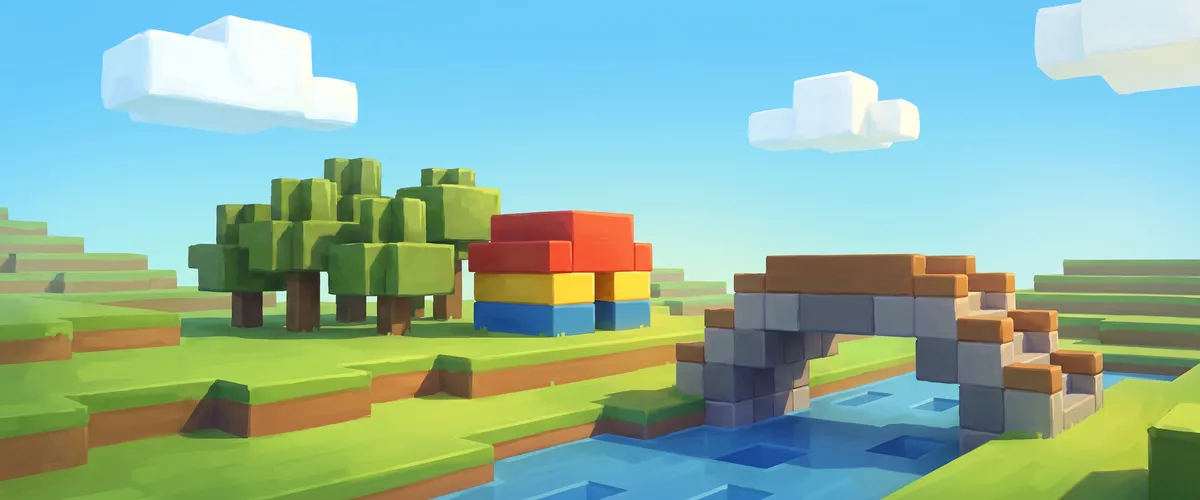
While there is a difference between building and scripting in Roblox, these two features work hand in hand when you are creating a new game. Building simply refers to inserting the different objects that make up your game world.

Scripting, on the other hand, is inserting the code that governs the gameplay, and how the objects and spawned players interact. When the game is launched, it will run the code line by line. You can use this to determine how long the game is and whether any sections are repeated.
How to Start Building
When you have a great idea for a new Roblox game and you are ready to share it with the world, the first thing you will need to do is learn how to build the game world. Roblox makes this very easy by providing Roblox Studio, its free development environment, on its website. Simply download it and start working!
Roblox Studio has evolved significantly over the years, offering a modern, streamlined interface that makes game creation more accessible than ever. There are different tools that you can use to build your game, and you will need to take time to familiarize yourself with how they work.
The first step to building your game involves creating the various parts that you will use. You can do almost anything with these parts — change the size, orientation, color, transparency, and much more.
When building, you are not limited to using your own parts only. You can use objects that other Roblox users have created. These can be added to your game world from the Creator Marketplace to make the creation process a lot easier. You can, for example, simply select a castle from the Marketplace instead of building it from scratch.
You might also like
AI-Powered Creation Tools
One of the most exciting developments in Roblox Studio is the integration of AI-powered tools that dramatically speed up the creation process. Roblox has introduced several generative AI features that are transforming how creators build experiences:
Code Assist — An AI-powered coding companion built directly into Roblox Studio that helps you write, debug, and optimize Luau scripts. It can suggest code completions, explain errors, and even generate entire script blocks from natural language descriptions.
Assistant — A conversational AI tool that supports all three phases of creation: learning, coding, and building. You can use natural language prompts to create scenes, edit 3D models, and apply interactive behaviors to objects.
Texture Generator — Allows creators to generate custom textures for assets using text prompts, eliminating the need for external image editing software.
Material Generator — Creates tiling materials from text descriptions, making it easy to give your game world a polished, professional look.
3D Generation with Roblox Cube — Roblox's core generative AI system for creating 3D and even 4D (animated) assets from simple prompts. This technology is pushing the boundaries of what's possible for creators of all skill levels.
These AI tools mean that even solo creators or small teams can produce high-quality experiences that previously required large studios and specialized skills.
Collaborative Editing
Roblox Studio now supports real-time collaborative editing, allowing multiple creators to work on the same experience simultaneously. This is a game-changer for teams, as it means you no longer need to take turns or merge changes manually. Everyone can build, script, and test together in real time — similar to how Google Docs works for documents.
Creating a Script
When scripting on Roblox, you will use Luau, Roblox's programming language based on Lua. It's a user-friendly language that allows you to easily create instructions and other in-game experiences for your players.
To script your Roblox game, follow these steps:
Code the Script — Under "ServerScriptService" you will find the script button that will allow you to rename your script and get to work on scripting your game. Use this button to create a new script.
Use the Script Editor — Each time you create a new script, a script editor window will open up on your screen. The built-in editor now features syntax highlighting, auto-complete, and AI-powered code suggestions to help you write cleaner code faster.
Add Variables — Variables are values that the game can change on its own, such as player names or scores. You will have to define variables in your script. With Code Assist, you can describe what you want in plain English and get working code suggestions instantly.
Test the Output — Once your script is complete you will need to test it out so that you can see whether it controls the game in the way you want it to. In the menu tab, you can click "Output," and then select the play function which will allow you to spawn into the game.
Ready to Test Out Your Game? Publish It!
The biggest test of whether you have created a great game is to allow other Roblox users to access the game and play it with you. Roblox has a chat feature that will allow others to give you valuable feedback on your building and scripting skills. After unleashing your creativity, put your game to the test by publishing it.
With the continued expansion of AI tools, collaborative features, and an ever-growing Creator Marketplace, there has never been a better time to start building on Roblox. Whether you are a complete beginner or a seasoned developer, the platform's tools are designed to help you bring your ideas to life faster and easier than ever before.