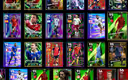
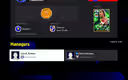
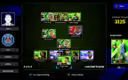
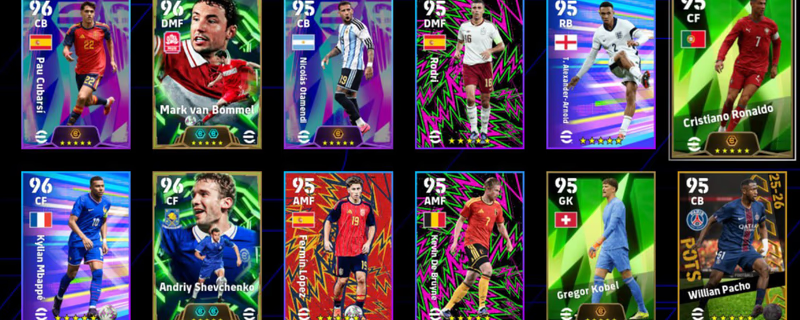
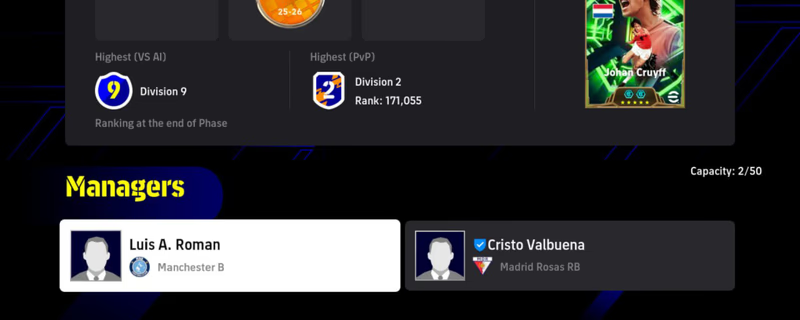
Steam Account[PC]|11x Booster|15x Five Star Card|Johan Cruyff-106! Van Basten! Mbappe! Gerrard!C.Puyol C.Romero! Messi!
Product image 1
Product image 2
1 / 3
Íocaíocht i dtaisce (escrow)Fanann d'íocaíocht le igitems agus ní scaoiltear í go dtí go ndeimhníonn tú an seachadadh.
Ráthaíocht airgead ar ais 100%Mura seachadtar d'ordú nó mura dtagann sé leis an liostú, gheobhaidh tú aisíocaíocht iomlán.
Réiteach díospóidí 24/7Mura féidir leat ceist a réiteach leis an díoltóir, tiocfaidh ár bhfoireann isteach chun cinneadh cothrom a dhéanamh.
Íocaíochtaí deimhnithe PCI DSSPróiseáiltear íocaíochtaí cárta trí gheataí criptithe de ghrád bainc.
Tuilleadh Eolais
Ardán
Steam
Strength
3130
Players
50
Division
Division 3

buying an account:

1- Create a brand-new Gmail account.

2- Send that Gmail address to the seller and ask them to add it to both Steam and Konami.

3- The seller will add your Gmail to both accounts. During this process, they will ask you for the verification codes sent to your Gmail. Just send the codes until they confirm everything has been added successfully.

4- After that, they will send you the Steam username and password. Log in to Steam immediately and change the password.

5-They will also send you the Konami password. Since your Gmail is already linked to the Konami account, log in using your Gmail and the password they gave you, then change the Konami password as well.

Once you change both passwords, the account is fully secured on your side.

Seans go dtaitneoidh siad seo leat